Collection management
Create a collection and add resources as the first step in isolating workspaces and organizing solution assets in D.Hub.
Collections are the basic workspace boundary in D.Hub. They isolate resources, separate projects logically, and give every later asset a place to belong.
Review your collections and create a new one
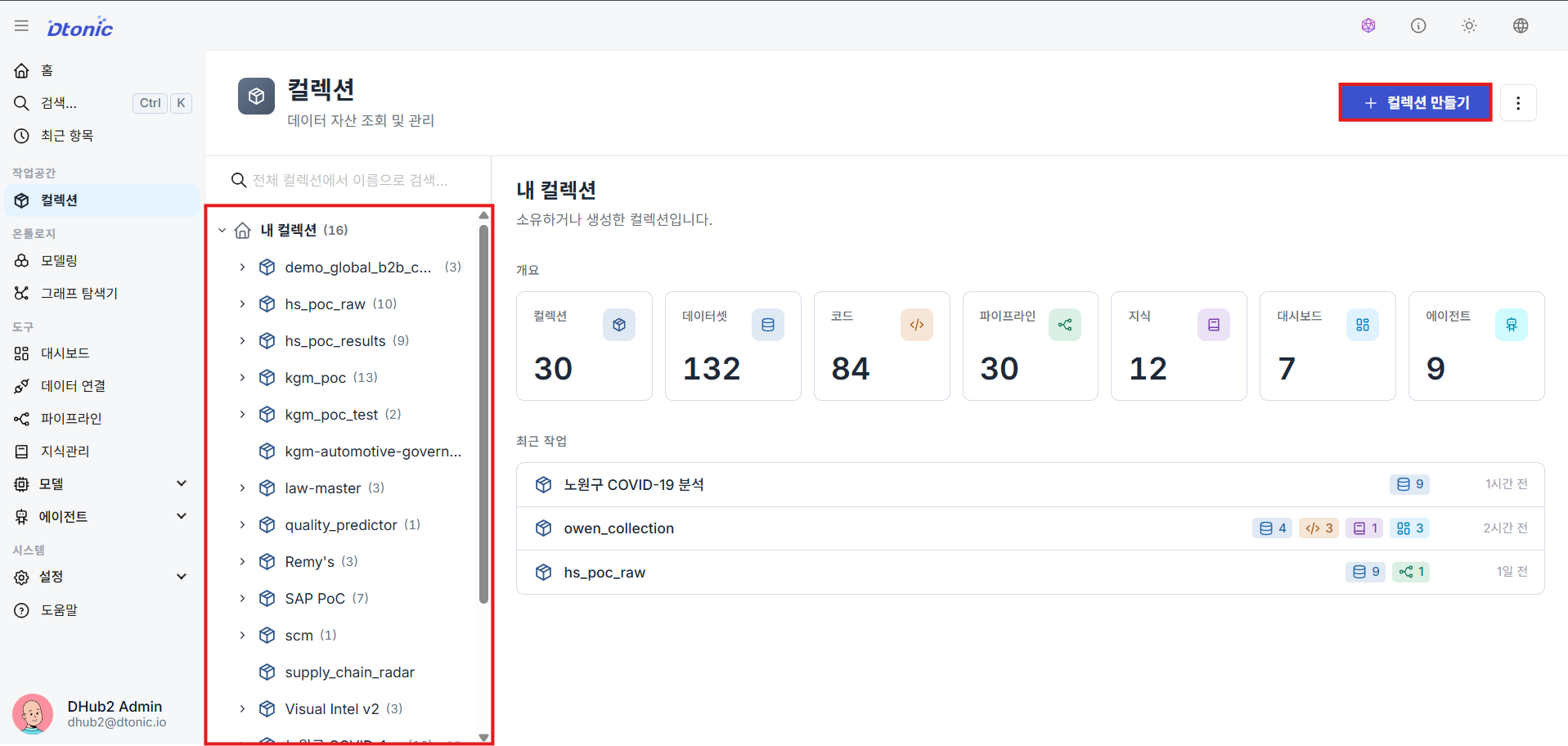
Open Explorer from the left sidebar to review the collections you already have. Then click Create collection in the top-right area to start a new workspace.
Fill in collection metadata
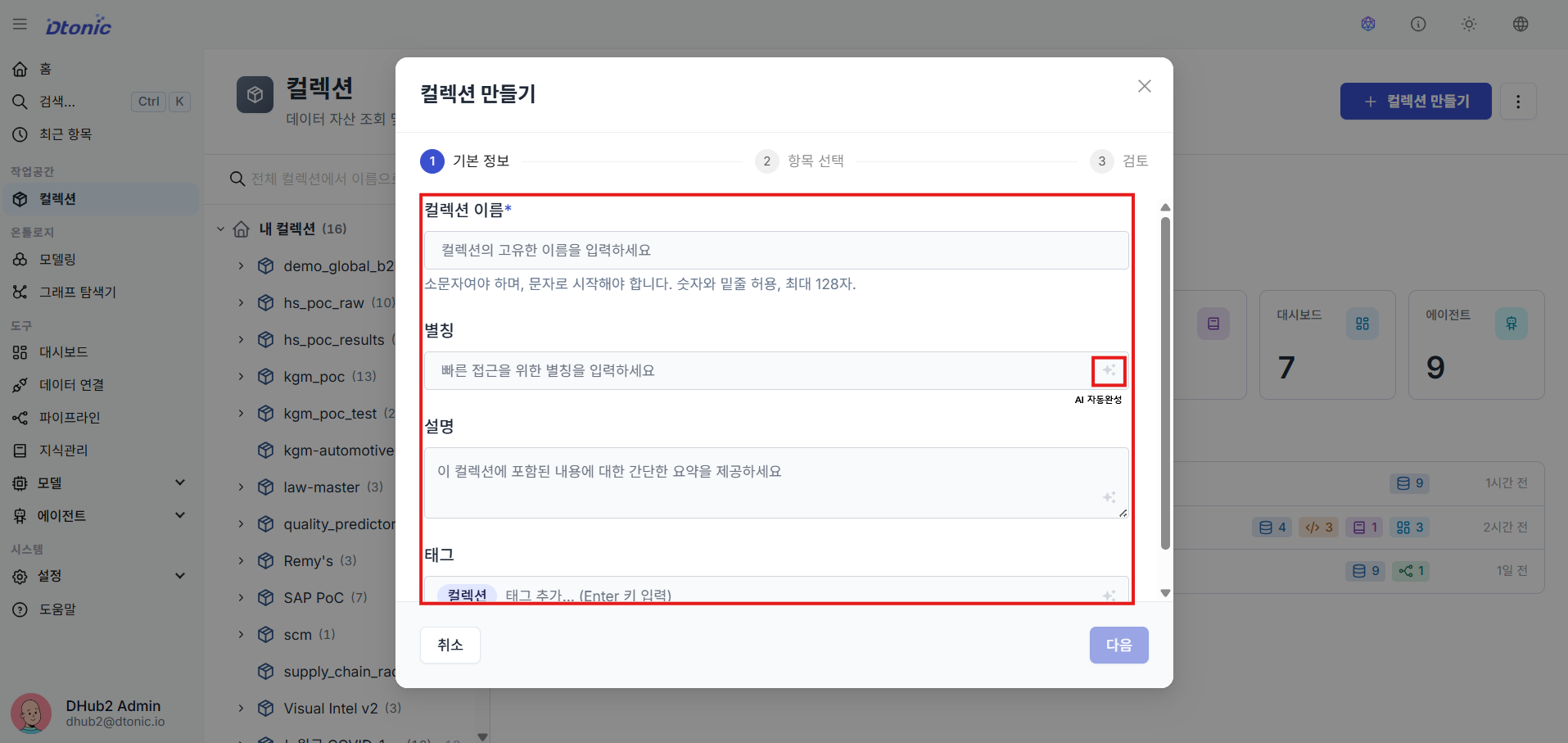
In the collection creation dialog, enter the name, display alias, description, and tags. The AI autocomplete button next to each field can suggest aliases and tags based on the name and description you entered.
Add collection resources
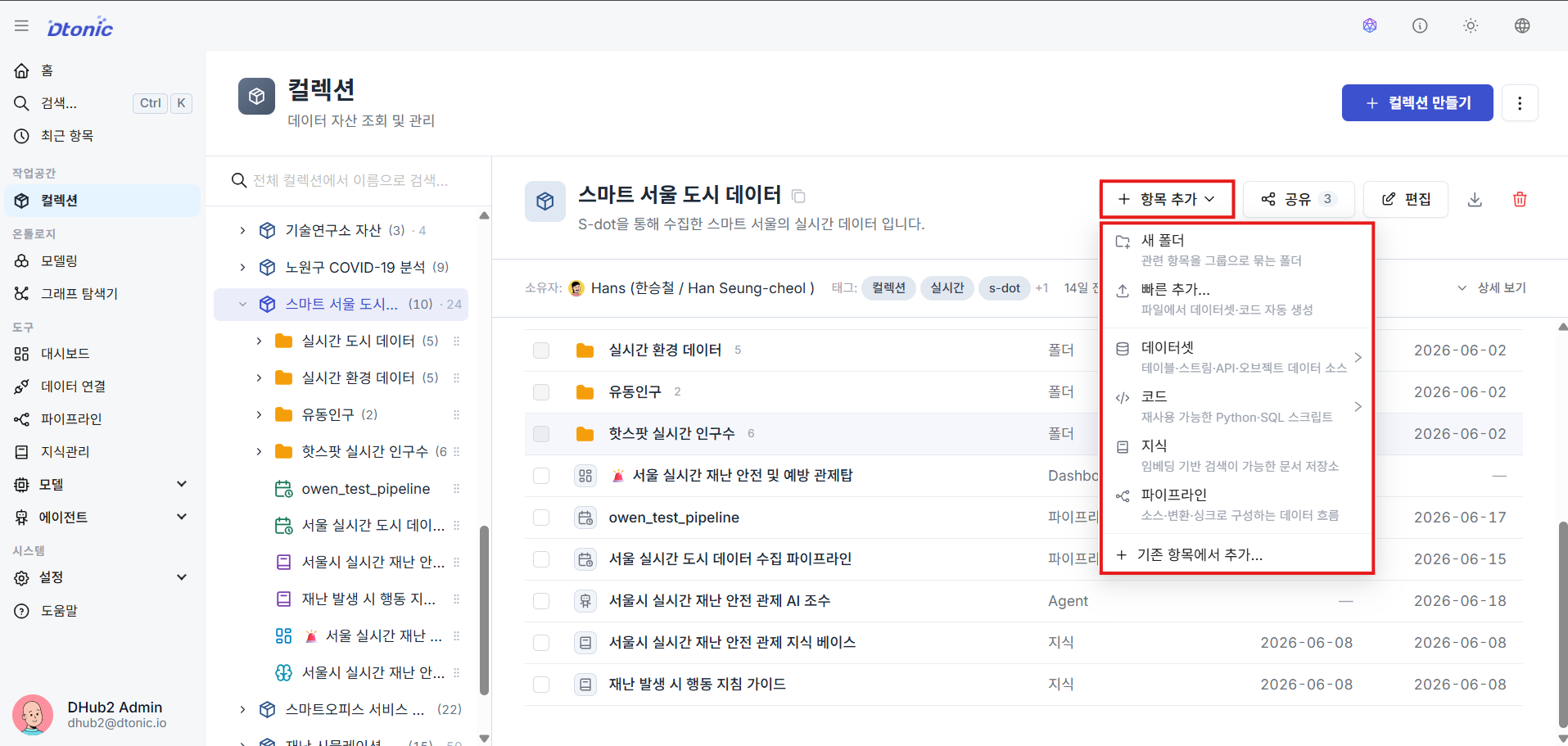
From the top of the collection tree or the right-click menu, open Add to create resources inside that collection scope. This is where you add the main assets you will use later, such as datasets, code, knowledge, and pipelines.
Check the resources under the collection
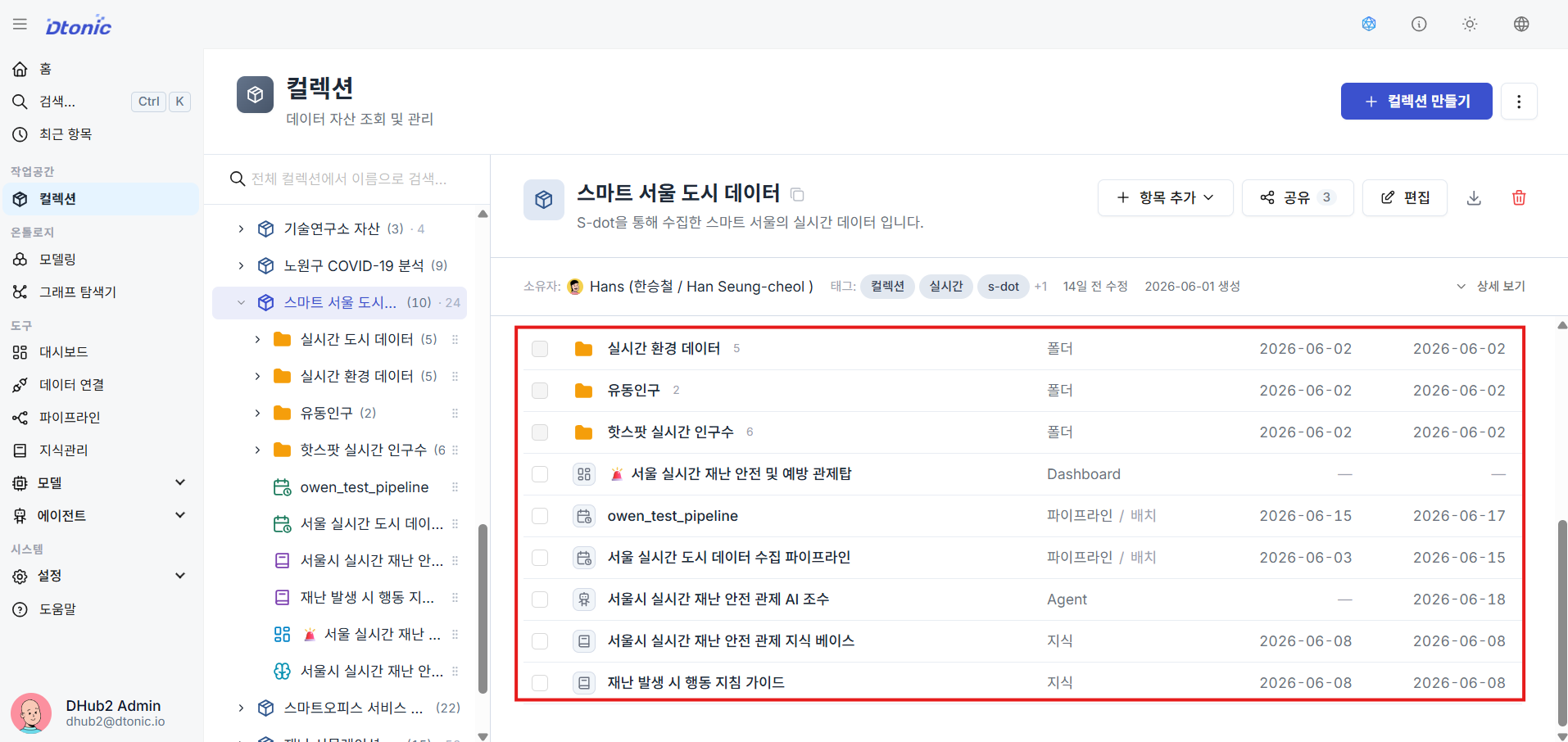
Select the collection or expand its tree to review which resources are now attached to it and how they are organized.
If this is your first time in D.Hub, taking the Essentials Path first is still the best starting point.
What you should be able to do after this lesson
- Find Explorer and review the collections you own
- Create collection metadata efficiently with AI autocomplete
- Add and review resources inside one collection scope
Next lesson
In the next lesson, you move into ontology modeling and define the semantic structure of a knowledge graph.