Deployment and final validation
Deploy the completed agent and verify its knowledge and tool integration from the chat interface.
This lesson finishes the path by deploying the agent and validating that the connected knowledge and tools behave correctly in a chat session.
Deploy the agent
After finishing the tool, knowledge, and system instruction setup, click Deploy from the agent detail screen or the agent list to apply the changes.

Review deployment status and actions
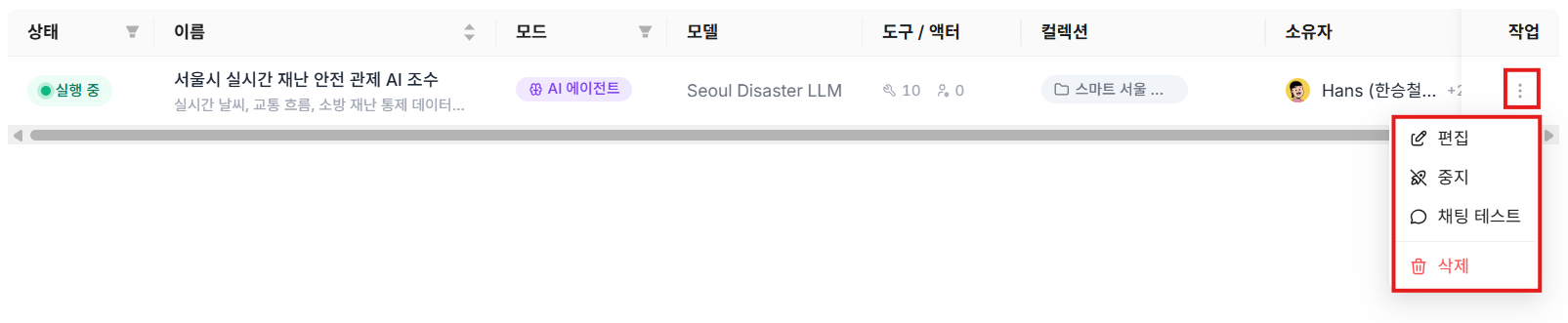
When deployment finishes, a green Running badge appears. Open the management menu on the right to control actions such as edit, Undeploy, Chat test, and delete.
Validate with chat testing
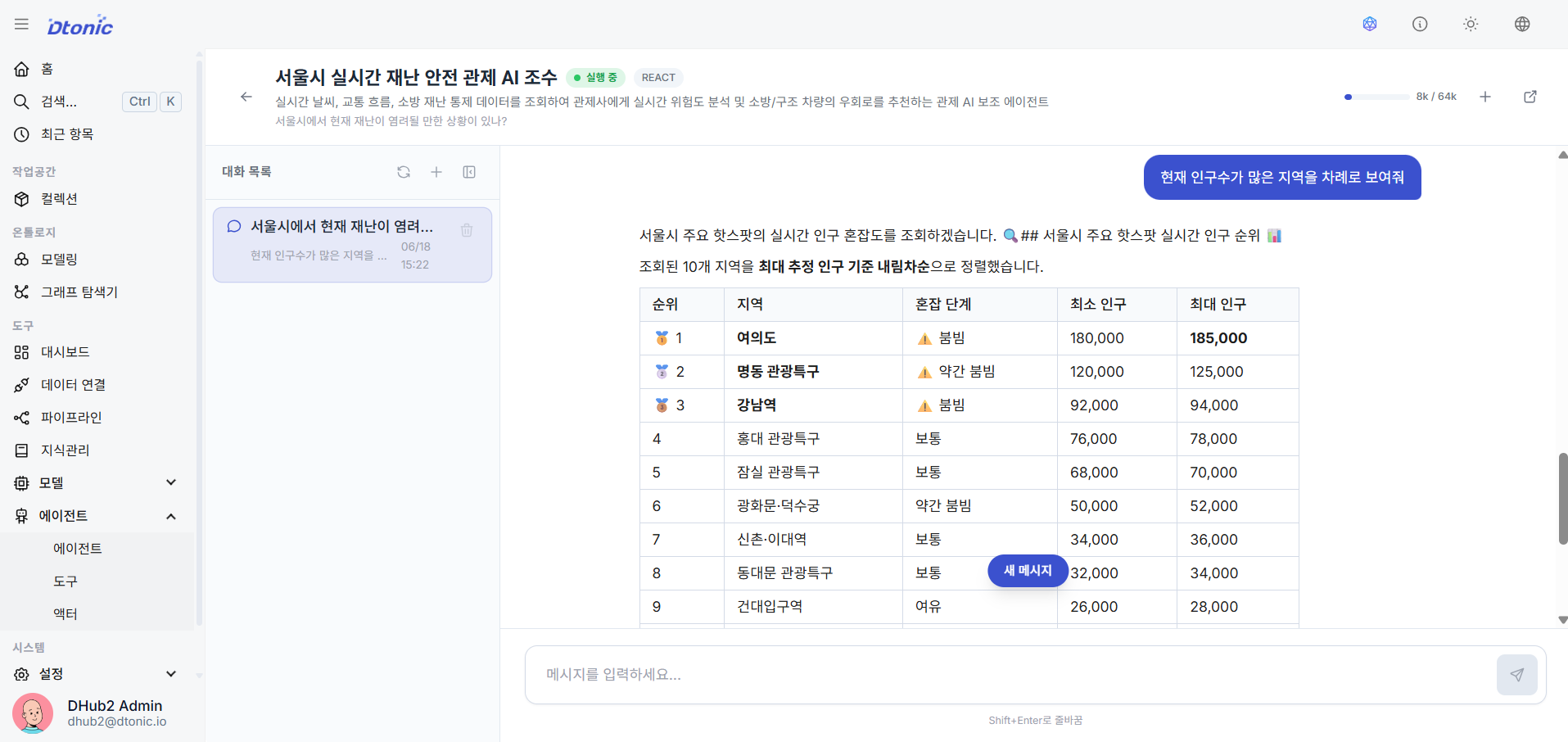
Click Chat test from the list to open the test panel, then ask the agent natural-language questions. Confirm that the connected knowledge base and tools respond as expected.
What you should be able to do after this lesson
- Deploy an agent and confirm its deployment status
- Use Chat test to validate whether connected document knowledge and tools work together correctly
Path complete — what's next
If you made it here, you've personally tied collections, ontology, pipelines, dashboards, models, agents, and knowledge into one working resource flow inside D.Hub. Recommended next steps:
- Workshop: Retail Inventory Intelligence — Walk one longer scenario where the surfaces you touched in this Path operate together in a real business flow.
- Analyst Path — Revisit how loaded data and dashboards are consumed from the user-facing side.
- Agent Builder Path — Go deeper into tools, actors, RAG, and safety gating when you want to design the agent layer in more detail.
Checking off every lesson in this Path records the Path as complete. Your next learning surfaces as a recommendation in the home's "Continue learning" panel.
Well done, and congratulations on completing this path!